Private
Everything runs on your Mac. Your videos are never uploaded.
Subly listens to your video and writes the captions right on your Mac. Nothing is uploaded. Get Hindi, Hinglish and English from one listen, perfectly in sync.
Free · Open source · macOS 26+
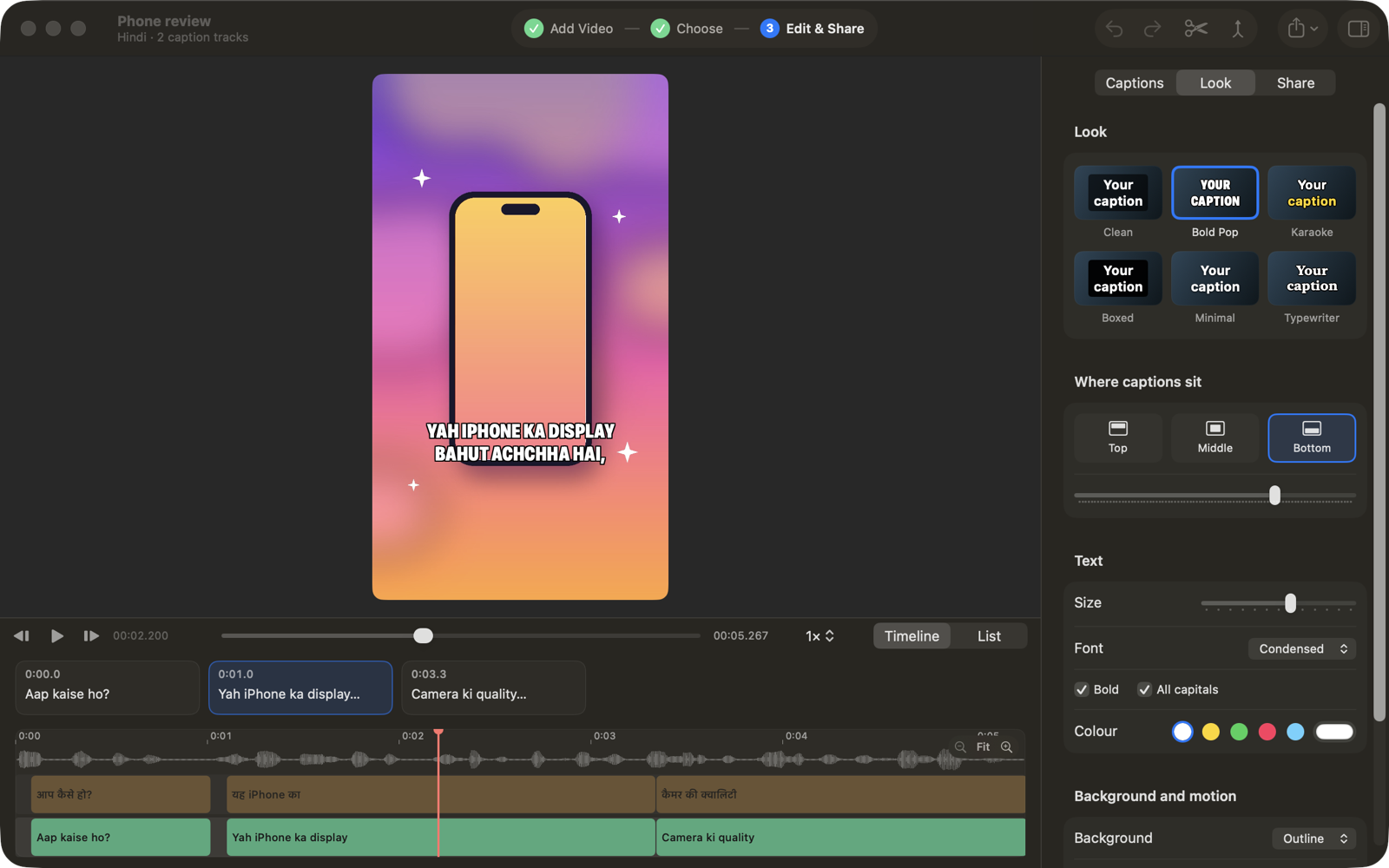
Subly hears your video once and writes up to three caption tracks that start and stop at exactly the same moments.
Pick one, two or all three. With the free Whisper model installed, Subly detects the spoken language for you.
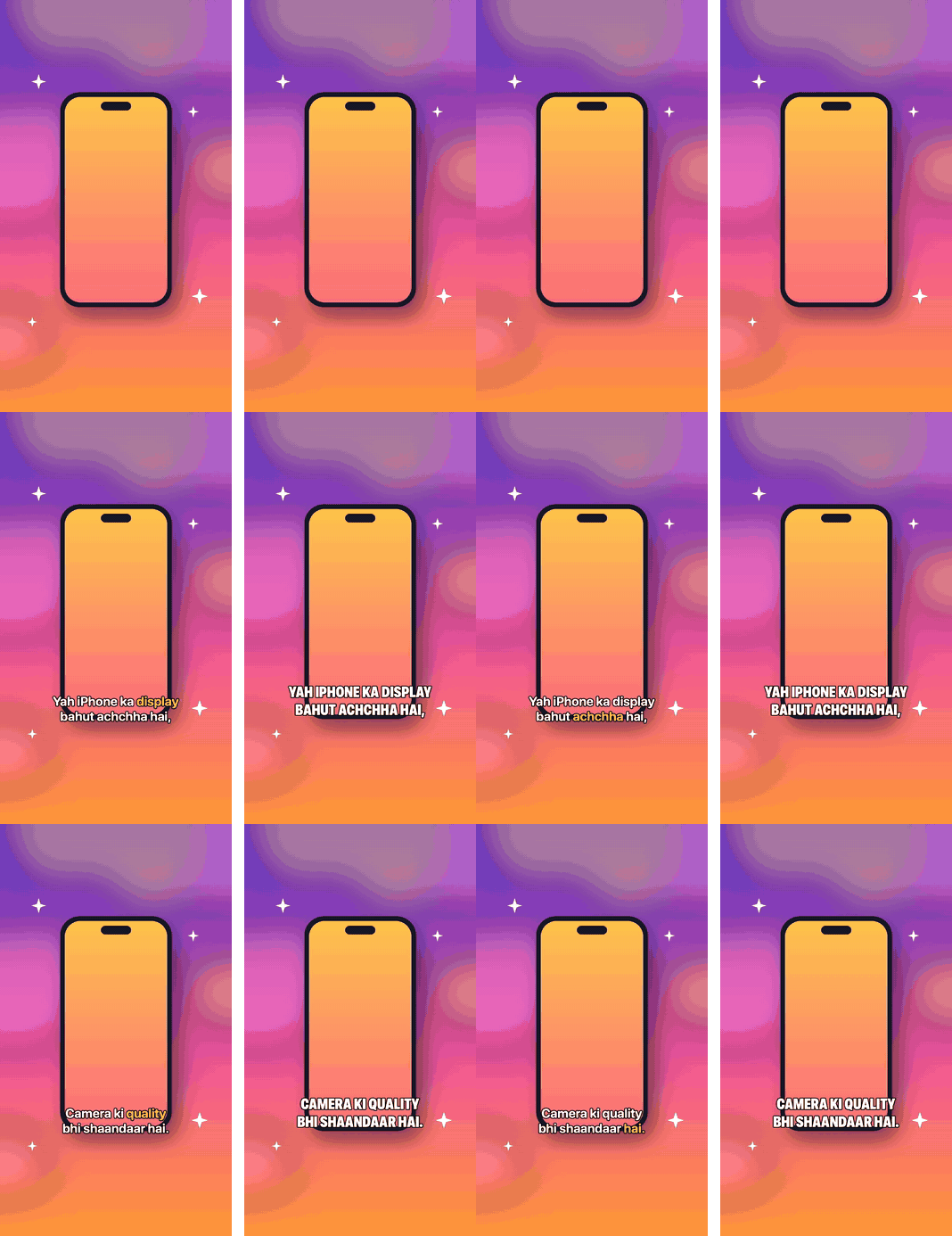
Six looks made for Reels and Shorts. Then tune the font, size, colour, background and where the captions sit.
From video to finished captions, without leaving your Mac.
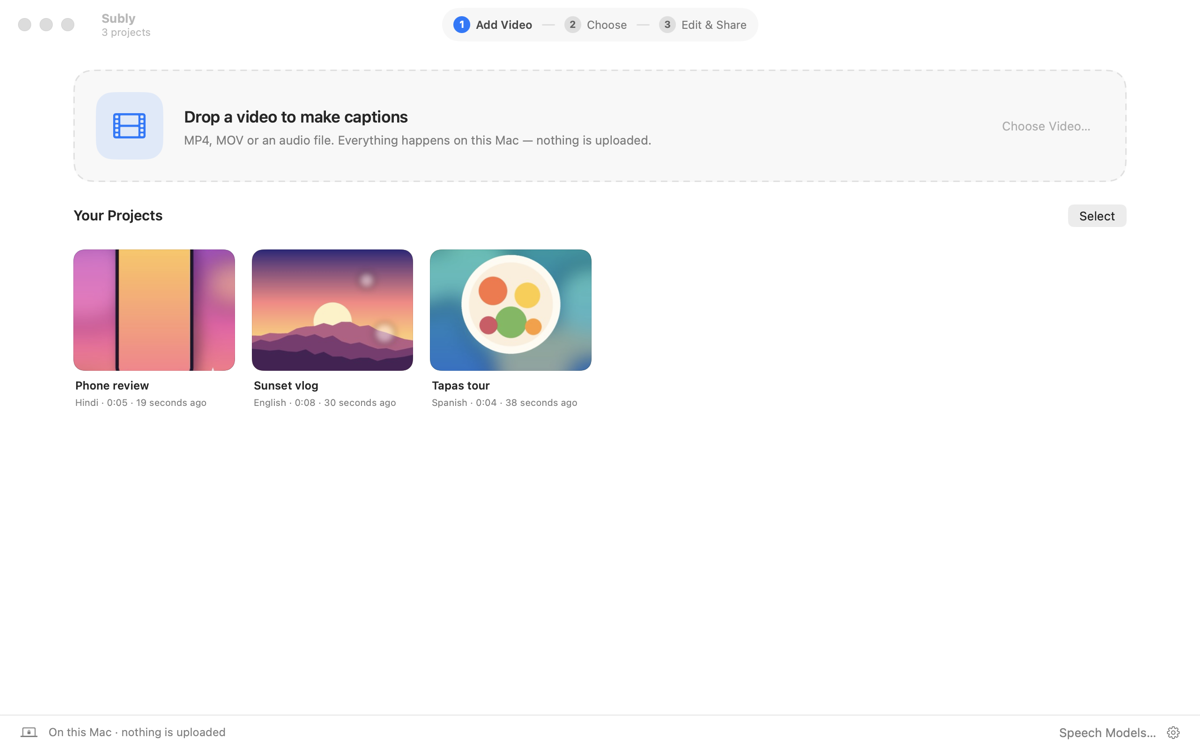
Drop in an MP4, MOV or audio file. Your projects wait for you on the home screen.
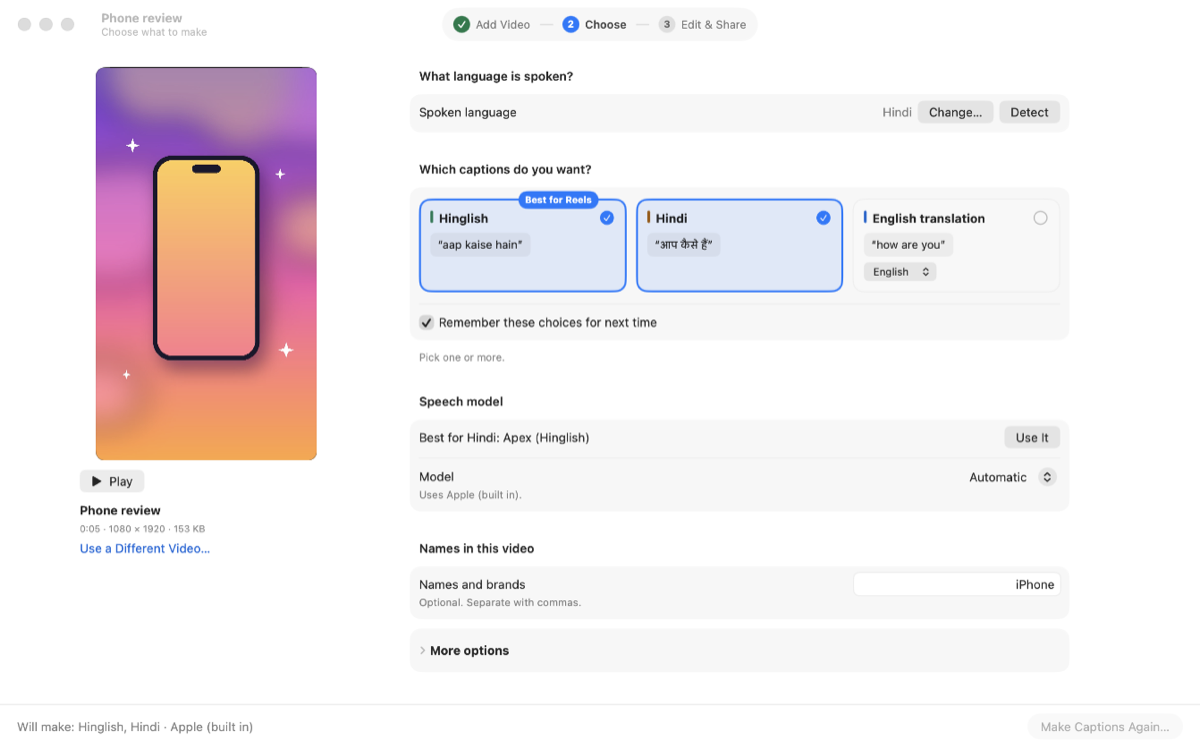
Check the spoken language — Subly detects it when the Whisper model is installed. Pick your caption tracks and add names and brands so they’re spelled right.
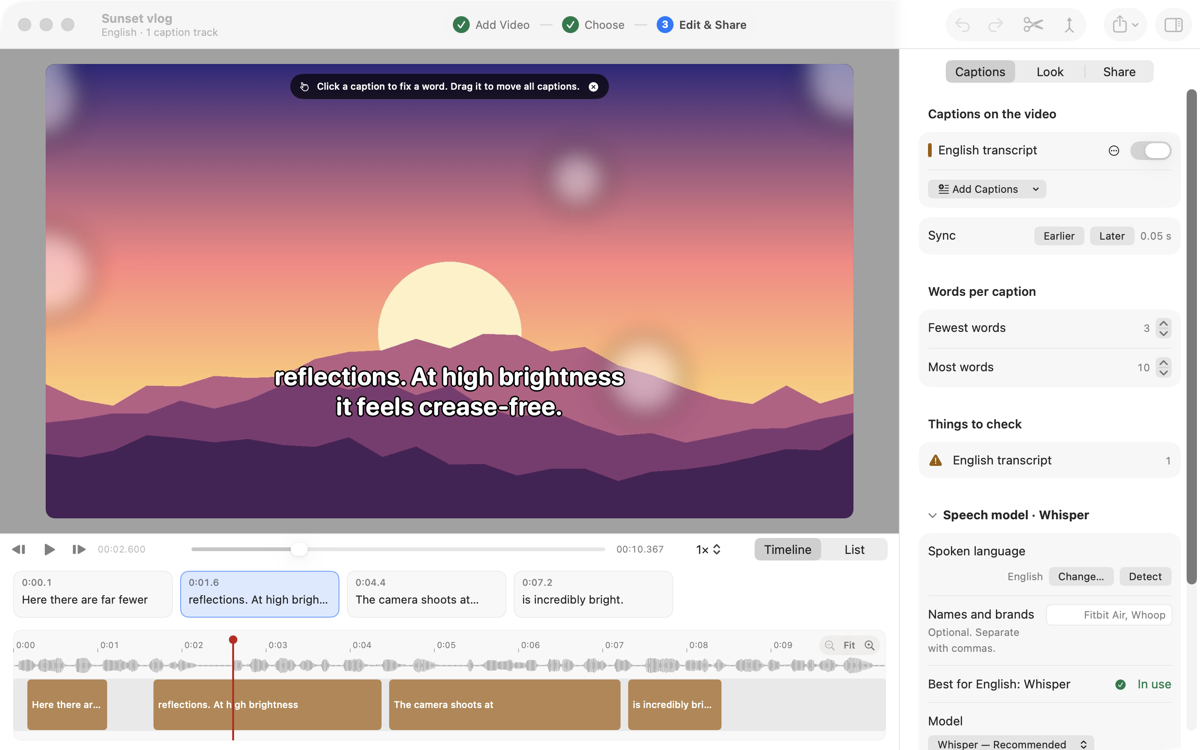
Click a caption on the video to fix it, pick a look, then export your video or caption file.
Everything runs on your Mac. Your videos are never uploaded.
Every track shares the same timings. If captions feel early or late, Sync nudges them all by 0.05 s.
Click a caption on the video to fix a word. Drag to move the captions. Undo anything.
Clean, Bold Pop, Karaoke, Boxed, Minimal and Typewriter, with your own font, size and colour.
Hindi in Devanagari, the same words in English letters, or both. The optional Apex model is tuned for Hindi to Hinglish.
Export a video with captions burned in for Reels, Shorts and Instagram, or save SRT, VTT, TXT or JSON.
Want more languages? Download the optional Whisper model (about 99 languages) inside the app. Models download only when you ask.
Subly is open source under the MIT licence. Read the code, report issues, contribute.
$ git clone https://github.com/DhananjayBhosale/Subly.git
Subly isn’t notarized by Apple yet, so macOS can’t check it the first time you open it. It’s a one-time step, and all of Subly’s code is public on GitHub for anyone to read.
Yes. Subly is free and open source under the MIT licence. Download it, use it, share it.
No. Subly listens, writes and translates on your Mac, so your videos never leave it. The optional speech models download inside the app, and only when you ask.
Subly uses Apple’s built-in speech recognition out of the box, and detects the spoken language automatically once the free Whisper model is installed. For more, download the optional Whisper model (about 99 languages) or Apex, which is tuned for Hindi to Hinglish. Translations use Apple’s on-device translation.
Subly isn’t notarized by Apple yet, so macOS can’t check it the first time you open it. Click Done, then go to System Settings › Privacy & Security, scroll down and click Open Anyway. You only need to do this once.
A Mac with Apple Silicon running macOS 26 or later.